
Regime Analysis
Short, intermediate, long — a shell’s slenderness Z decides whether it buckles over its whole length or in one local band. MDC reads the knockdown at your Z instead of one factor for every length.
Why this matters
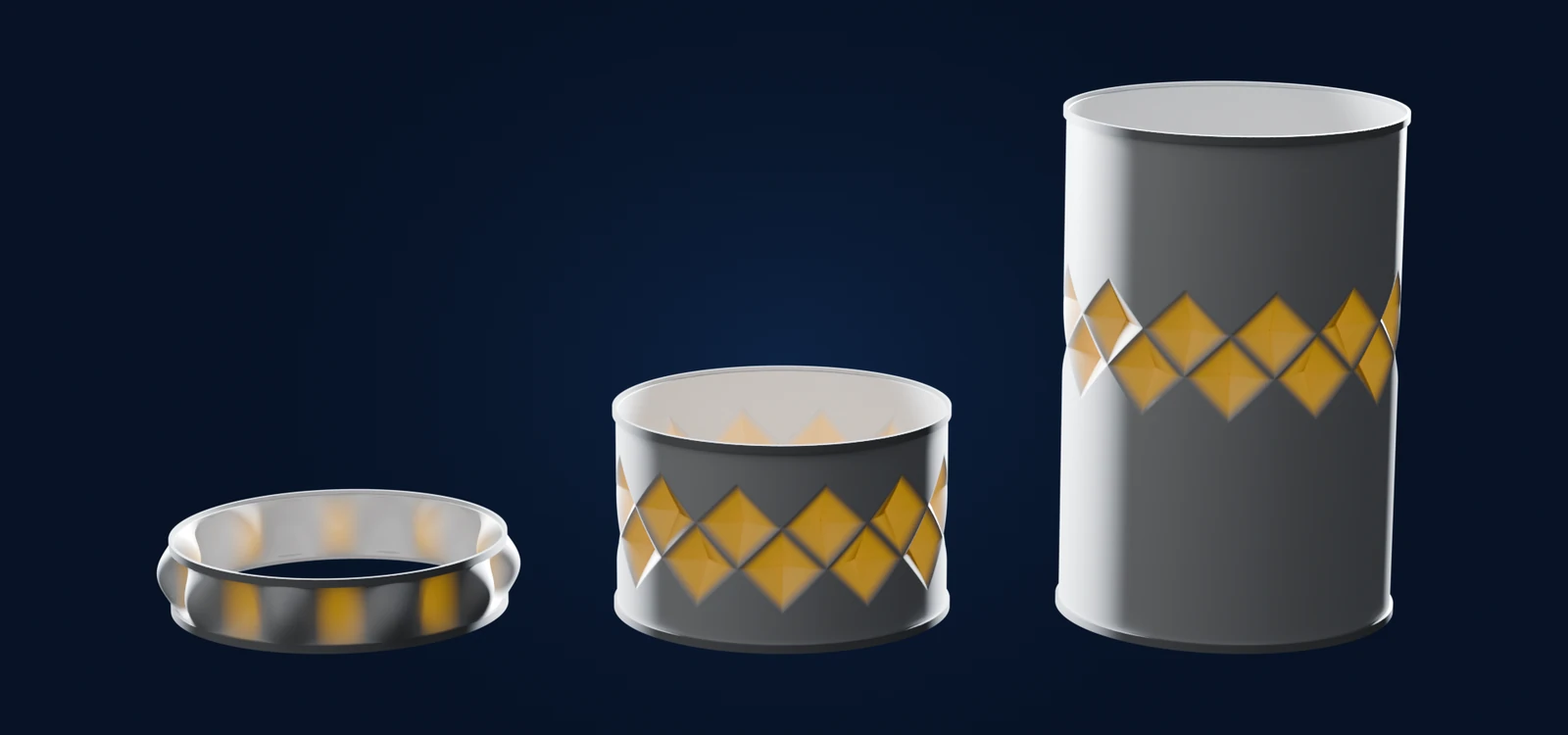
Classical handbooks give one knockdown factor for a given radius-to-thickness ratio, whatever the length. Yet a shell’s length changes how it buckles. The Batdorf parameter Z = L² / (R t) · √(1−ν²) captures this: it grows with the square of the length and falls as radius and wall thickness grow.
- Short shells (low Z) — the buckle spans the whole length between the end rings, which hold the shell round and take part in carrying it.
- Intermediate Z — the transition: the buckle no longer reaches both ends, and rows of diamond-shaped dimples form.
- Long shells (high Z) — buckling is local. The dimples take a size set by radius and wall, not by length, so beyond this point the length no longer matters.
A single factor that ignores Z cannot be right at both ends of this range.
How MDC handles it
Skalnav computes Z from your geometry. The MDC knockdown is a surface over Z and the imperfection amplitude, fitted to Skalnav FE Monte-Carlo campaigns, so a short and a long shell with the same wall each get their own knockdown. The knockdown chart in the app plots the curve over Z and marks your design on it.
Whether the wall also yields is a separate question — see Plasticity Correction.
See where your shell sits on Z.
Open Skalnav, change the length, and watch your design move along the knockdown curve over Z.